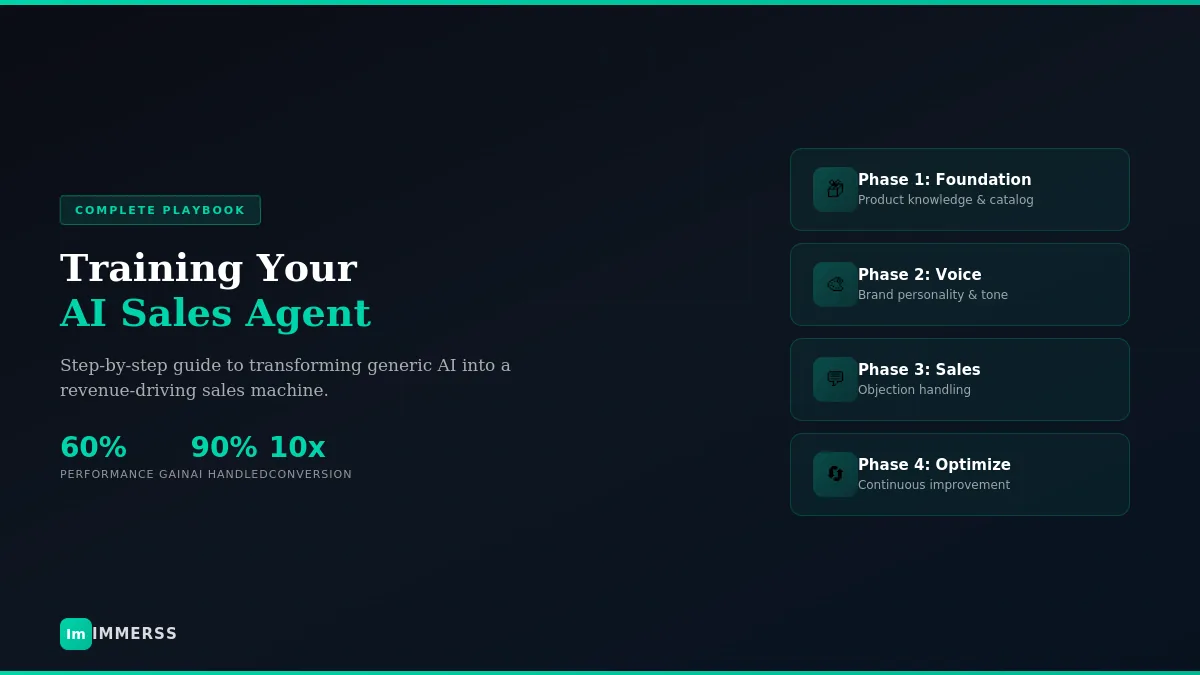

AI Sales Agent Training: The E-commerce Playbook
A step-by-step guide to transforming generic AI into a revenue-driving sales machine.
Every major e-commerce platform now offers AI capabilities. Yet most implementations underperform expectations.
The technology isn’t the problem. Training is.
AI agents perform exactly as well as the data and guidance they receive. Generic setup produces generic results — the kind that make customers wonder why they’re talking to a bot instead of just searching the site themselves. Thoughtful training produces an agent that sounds like your best sales associate, understands your products deeply, and converts browsers into buyers at rates that transform unit economics.
This guide covers what it actually takes to train an AI sales agent that drives revenue — from initial setup through ongoing optimization.
Why Training Determines Everything
When evaluating AI platforms, teams focus on feature comparisons: natural language processing capabilities, behavioral triggers, multi-channel support, analytics dashboards. These matter, but they’re commoditized. Every serious platform offers them.
What separates high-performing AI agents from expensive toys is training depth.
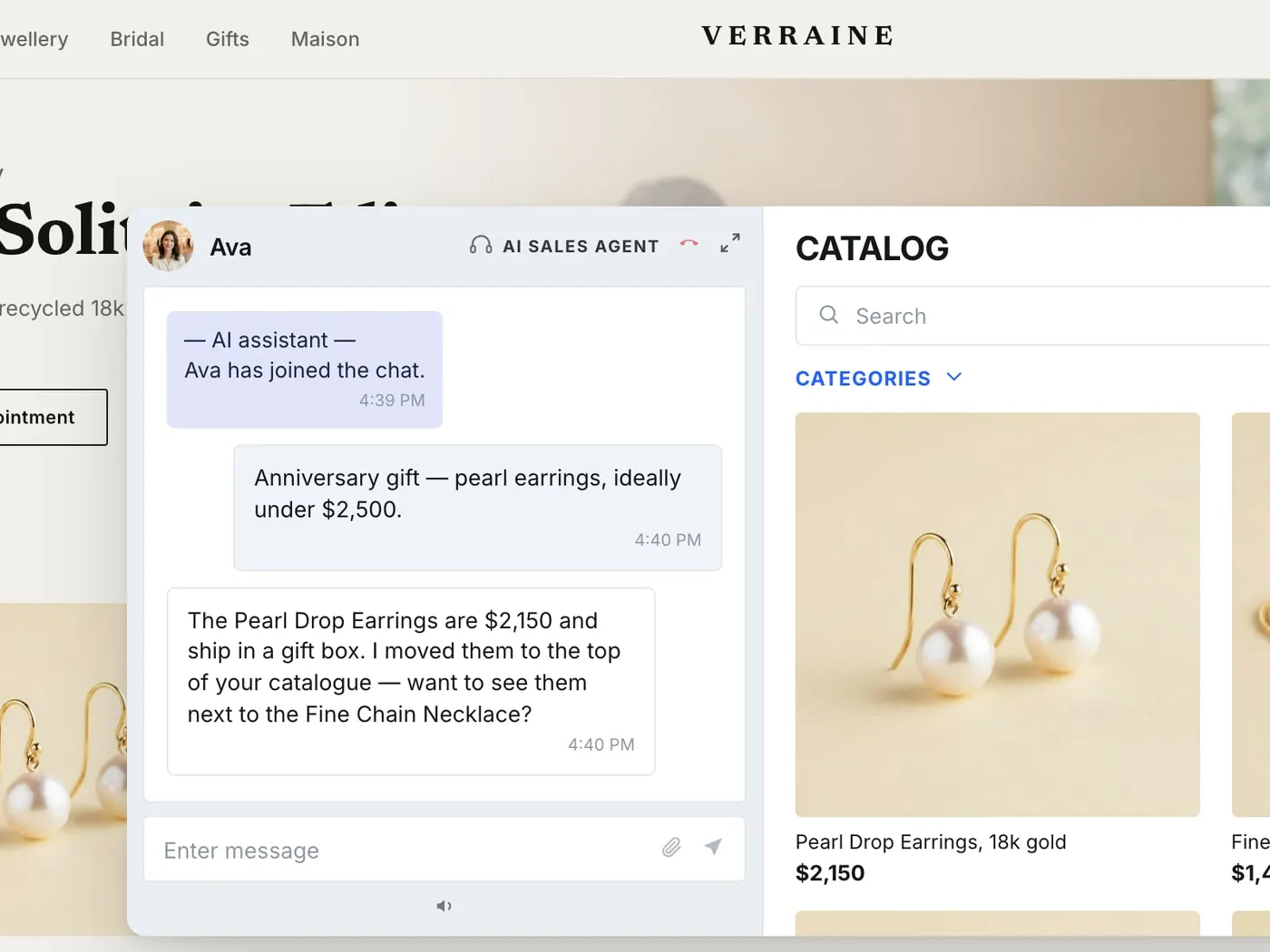
An out-of-the-box configuration answers from generic knowledge; a trained one answers from your catalogue, your policies and the objections your buyers actually raise. Bad data in produces bad decisions out — AI amplifies whatever you give it.
The agents that perform best are the ones that never stop learning. Continuous training based on successful sales interactions compounds over time, creating a widening gap between brands that invest in training and those that don’t.
Phase 1: Foundation — Product Knowledge
Before an AI agent can sell, it needs to understand what it’s selling. This sounds obvious, but most implementation failures trace back to incomplete or poorly structured product data.
Catalog Synchronization
Your AI needs access to real-time inventory, pricing, variants, and availability. If a customer asks about a product that’s out of stock, the agent should know — and recommend alternatives. If pricing changed this morning, the agent should reflect that by this afternoon.
Modern platforms sync automatically with e-commerce backends (Shopify, Magento, BigCommerce, WooCommerce). Verify that synchronization is:
- Real-time or near-real-time (not daily batches)
- Complete across all variants and SKUs
- Accurate for pricing, inventory levels, and availability
- Connected to any product information management (PIM) systems
Product Relationships
Synchronization gets you basic data. But AI that sells needs to understand product relationships:
- Complementary products — What goes with what? If someone buys a ring, what else might they want?
- Substitutes — When something is out of stock, what alternatives exist?
- Upgrades — What premium options should be suggested to customers considering entry-level products?
- Bundles — What combinations create value for customers and margin for you?
Map these relationships explicitly. Don’t assume the AI will figure them out from catalog data alone.
Enhanced Product Descriptions
Your existing catalog data probably includes SKUs, dimensions, materials, and technical specifications. That’s necessary but insufficient for selling.
The AI needs to understand:
- Benefits, not just features — Why do customers choose this product? What problem does it solve?
- Comparison points — How does this differ from similar items in your catalog? From competitor offerings?
- Common questions — What do customers typically ask before purchasing?
- Use cases — Who buys this product and why?
Review your product descriptions with AI training in mind. If they read like inventory spreadsheets, they need enhancement before the AI can sell effectively.
Policy and FAQ Integration
Pre-purchase conversations frequently involve non-product questions:
- Shipping times and costs
- Return and exchange policies
- Warranty information
- Care instructions
- Payment options and financing
- International availability
Create comprehensive documentation for every policy customers ask about. If your support team keeps answering the same questions, those questions belong in your AI’s knowledge base. Build this documentation before launch, not after.
Phase 2: Brand Voice Configuration
A technically accurate AI that sounds robotic still fails the customer experience test. Customers notice when they’re talking to a generic bot versus an AI that feels like an extension of your brand.
Define Voice Characteristics
Document your brand voice across these dimensions:
- Formality level — Professional and polished, or casual and conversational?
- Enthusiasm — Energetic and exclamation-point-filled, or understated and confident?
- Personality — Playful and witty, or straightforward and helpful?
- Language — Industry jargon or plain English? Technical detail or accessible explanation?
Create examples of how your brand would respond to common situations:
- Greeting a new visitor
- Answering a product question
- Recommending alternatives
- Handling a complaint
- Closing a sale
Upload Training Examples
Most platforms allow you to train voice through examples. Gather transcripts from your best sales conversations — the ones that converted, built rapport, and left customers satisfied.
The more examples you provide, the better the AI captures your voice. Aim for 50-100 conversation examples covering different scenarios.
Establish Boundaries
Define what the AI should never say:
- Claims that could create legal liability
- Competitor disparagement
- Promises that can’t be kept
- Tone that doesn’t match your brand (excessive exclamation points for a luxury brand, overly formal language for a youth-focused brand)
- Inappropriate jokes or references
Clear guardrails prevent embarrassing moments that damage brand perception.
Test Before Launch
Run conversations as if you were a customer. Does the AI sound like your brand? Would you be comfortable with these responses appearing on your website? Appearing in a screenshot on social media?
Keep adjusting until the answer is confidently yes.
Phase 3: Objection Handling
Sales conversations aren’t just about answering questions — they’re about overcoming hesitation. The objections your customers raise repeatedly are exactly what your AI needs to handle skillfully.
Identify Your Top Objections
Review past sales conversations, support tickets, chat logs, and cart abandonment data. What concerns come up most often?
Common e-commerce objections include:
- Price — “That’s expensive” / “I can find it cheaper elsewhere”
- Quality — “How do I know it’s good quality?” / “Will it last?”
- Fit/Sizing — “How do I know it will fit?” / “What if it doesn’t look right?”
- Trust — “Is this site legit?” / “How do I know you’ll ship?”
- Timing — “Will it arrive by [date]?” / “I need to think about it”
- Comparison — “How does this compare to [competitor/alternative]?”
Rank these by frequency. Your top 5-10 objections deserve the most training attention.
Develop Response Strategies
For each major objection, create specific response frameworks:
Price objections:
- Reframe around value, not cost
- Highlight what’s included (warranty, shipping, quality materials)
- Offer payment options if available
- Compare to cost of alternatives or cost of not solving the problem
- Never apologize for pricing
Quality concerns:
- Reference specific materials, manufacturing processes, certifications
- Point to warranty and guarantee policies
- Share social proof (reviews, ratings, testimonials)
- Offer to answer specific quality questions in detail
Fit/sizing uncertainty:
- Provide sizing guidance tools or questions
- Explain return/exchange policy clearly
- Recommend based on customer’s stated measurements
- Suggest customer service contact for complex sizing questions
Trust hesitation:
- Share company history and credentials
- Point to security certifications and payment protection
- Reference review platforms and ratings
- Offer contact information for pre-purchase questions
Timing pressure:
- Provide accurate shipping estimates
- Explain expedited options if available
- For “need to think about it,” offer helpful information and availability to answer future questions without being pushy
Document specific language for each objection type. Train your AI to recognize objection signals in customer messages and respond appropriately — helpfully, not defensively.
Phase 4: Escalation Design
A well-trained agent handles most routine conversations on its own. But knowing when to escalate is just as important as knowing when to help.
Define Trigger Categories
Map escalation triggers explicitly:
Complexity triggers:
- Questions requiring judgment calls (custom orders, special requests)
- Technical issues beyond documented solutions
- Multi-step problems requiring research
Value triggers:
- High-value orders above a certain threshold
- VIP customers identified in your CRM
- Repeat customers with significant purchase history
Sentiment triggers:
- Frustrated customers (detected through language patterns)
- Multiple repeated questions indicating confusion
- Explicit requests for human assistance
Capability triggers:
- Requests the AI cannot fulfill (returns requiring authorization, etc.)
- Questions outside trained knowledge
- Situations requiring human judgment or discretion
Design Seamless Handoffs
When escalation occurs, human agents should receive full context:
- Complete conversation transcript
- Customer’s original question and subsequent messages
- AI’s responses and recommendations
- Customer’s apparent sentiment
- Any products viewed or added to cart
- Customer history if available
Starting over frustrates customers. Design handoffs that feel like continuation, not restart.
Set Authority Boundaries
What can the AI offer independently?
- Discount percentage limits
- Free shipping authority
- Bundle offer creation
- Product substitution recommendations
Document what’s allowed without human approval and what requires escalation. Clear boundaries prevent both missed sales opportunities and inappropriate offers.
Phase 5: The Optimization Cycle
Launch isn’t “set and forget.” The best results come from brands that treat the first 90 days as active optimization, not passive observation.
Week 1-2: Daily Conversation Review
Read through conversation transcripts daily. You’re categorizing into three buckets:
-
Handled brilliantly — The AI responded correctly, helpfully, on-brand. No changes needed.
-
Good but improvable — The AI was directionally right but could be better. Note specific improvements for training updates.
-
Needs correction — Wrong information, bad recommendations, poor tone. Fix immediately.
Also identify:
- Questions that should have escalated but didn’t
- Escalations that could have been handled by AI
- New questions you hadn’t anticipated
Week 3-4: Pattern Analysis
With two weeks of data, patterns emerge:
- Which product categories generate the most questions?
- Which objections appear most frequently?
- Where do conversations stall before conversion?
- What time of day has highest conversation volume?
- Which customer segments engage most with AI?
Use patterns to prioritize training improvements. High-frequency issues deserve immediate attention.
Month 2-3: Refinement and Expansion
- Address identified training gaps systematically
- Add handling for edge cases that appeared in the first month
- Expand product knowledge for categories with high question volume
- Refine objection handling based on what’s working
- Adjust escalation thresholds based on actual outcomes
Ongoing: Continuous Improvement
After the initial optimization period:
- Weekly or bi-weekly conversation sampling (20-50 conversations)
- Monthly knowledge base audits
- Quarterly brand voice checks as brand evolves
- Seasonal updates for promotions, new inventory, changing policies
- Post-launch updates for every new product or category
The agents that perform best are the ones that never stop learning.
Measuring Training Effectiveness
Training isn’t complete without measurement. Define metrics before launch and track consistently.
Primary Metrics:
- Conversion rate — Percentage of AI conversations resulting in purchases. This is your north star for sales-first AI.
- Revenue attributed to AI — Total sales influenced by AI conversations.
- Average order value — AOV for AI-assisted sales compared to unassisted. Effective recommendations should lift AOV.
Operational Metrics:
- Containment rate — Percentage of conversations resolved without human escalation. Higher is generally better, but not at the cost of customer satisfaction.
- First contact resolution — Percentage of issues resolved in a single conversation.
- Response accuracy — Sample review of responses for correctness.
Experience Metrics:
- Customer satisfaction — Post-conversation surveys or sentiment analysis.
- Escalation quality — When AI escalates, was it appropriate? Did the human have sufficient context?
- Abandonment rate — Percentage of customers who start but don’t complete AI conversations.
Track weekly. Correlate changes with training adjustments. This creates a feedback loop: training improvements should show up in metrics within 2-4 weeks.
Common Training Mistakes
Launching without thorough product training. If your AI doesn’t deeply understand your catalog, it will make embarrassing recommendations. Invest the upfront time before going live.
Ignoring brand voice. Generic AI responses sound like generic AI. Customers notice immediately. Voice configuration deserves serious attention.
Training on support, not sales. If you feed your AI support tickets and FAQ responses, it will learn to resolve issues — not drive conversions. Train on successful sales conversations, not just support deflection.
Setting and forgetting. AI agents need ongoing attention, especially in the first 90 days. Schedule dedicated review time. Treat it as an investment, not a burden.
Overautomating. Some conversations need humans. Complex complaints, VIP customers, high-stakes decisions — forcing AI to handle everything creates bad experiences. Define clear escalation paths.
Neglecting edge cases. The questions that come up 5% of the time still affect 5% of your customers. Document responses for uncommon scenarios before they become embarrassing gaps.
Bad data hygiene. If your product catalog has duplicates, outdated information, or missing data, the AI will struggle. Fix data quality before training, not after launch.
The ROI of Proper Training
The investment in training pays for itself quickly when done right.
Support impact: Routine inquiries — order status, sizing, stock, policies — stop reaching the queue, which is where the labour saving comes from.
Conversion impact: Measure it as a difference between assisted and unassisted sessions on your own store over the same period — your baseline is the only benchmark that means anything here.
AOV impact: A trained agent recommends complements it can justify — the strap for that watch, the setting for that stone — rather than whatever the catalogue ranks highest.
Coverage impact: AI works 24/7 across all time zones without additional staffing costs. The off-hours opportunity alone justifies the investment for many brands.
These results don’t happen automatically. They happen when teams treat AI training as an ongoing investment, not a one-time setup task.
Getting Started Checklist
If you’re implementing an AI sales agent for the first time, work through this systematically:
Before launch:
- Audit product data completeness and accuracy
- Enhance product descriptions for selling (benefits, use cases, comparison points)
- Document all policies customers ask about
- Create brand voice guidelines with specific examples
- Upload 50+ sample conversations from successful sales
- Map your top 10 customer objections with response strategies
- Define escalation triggers and authority boundaries
- Set baseline metrics (current conversion rate, AOV, support volume)
Launch week:
- Monitor conversations in real-time
- Fix any critical errors immediately
- Note patterns for post-launch optimization
First 30 days:
- Daily conversation review
- Weekly training adjustments
- Pattern identification and prioritization
Ongoing:
- Weekly conversation sampling
- Monthly knowledge base audits
- Quarterly voice checks
- Continuous metric tracking and correlation
The Bottom Line
The technology is ready. The platforms are mature. The ROI is proven.
What separates success from disappointment is the training investment you make.
AI amplifies what you give it. Generic inputs produce generic outputs. Thoughtful training produces a genuine competitive advantage — an agent that sounds like your best associate, knows your products deeply, handles objections skillfully, and converts at rates that transform your business.
Your best sales associate didn’t become great on day one. Your AI agent won’t either. But with systematic training and continuous refinement, it can become exactly what your customers need: helpful, knowledgeable, and always available.
The investment is training. The return is revenue.
Immerss AI Sales Agents are designed for rapid training and continuous optimization. Our sales-first architecture means the AI is built to convert, not just deflect — and our team provides hands-on training support to ensure your agent performs from day one.