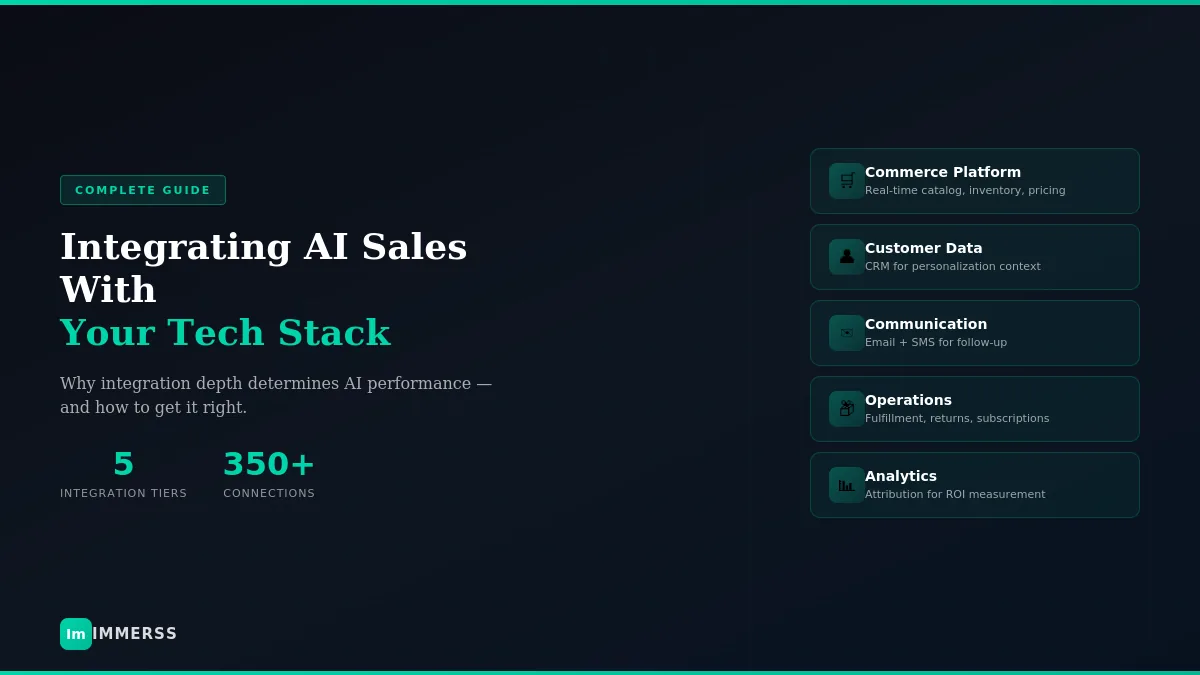

Why integration depth determines AI performance — and how to get it right.
Every e-commerce brand runs on a tech stack. Shopify or BigCommerce for commerce. Klaviyo or HubSpot for email. Gorgias or Zendesk for support. Stripe for payments. ShipStation for fulfillment. Recharge for subscriptions. The list grows with every operational need.
When you add an AI sales agent to this ecosystem, integration quality determines everything. An AI connected deeply with your systems becomes a genuine revenue driver — able to access real-time inventory, personalize based on customer history, handle post-purchase questions, and track attribution accurately. An AI implemented as a disconnected layer becomes another tool that underdelivers.
According to Gartner research, 33% of enterprises will include agentic AI in their operations by 2028, up from less than 1% today. The brands that succeed will be those who integrate AI into their existing architecture rather than bolting it on top.
This guide covers how to think about AI integration with your tech stack, which connections matter most, and how to build an architecture that enables AI to perform at its full potential.
Why Integration Determines Performance
AI sales agents are fundamentally different from traditional chatbots. A chatbot follows scripted decision trees, answering pre-programmed questions with canned responses. An AI agent reasons, learns, and takes action — but only within the bounds of what it can access.
The major difference is that agents are proactive, whereas bots are simply reactive. Agents can perform higher-order planning, reasoning, and orchestration without needing constant human handholding. But this sophisticated reasoning is useless without data to reason about.
Consider what an AI needs to answer a simple question: “Do you have this in a size medium?”
Without integration: The AI might give a generic response like “Please check our size guide” or admit it doesn’t know.
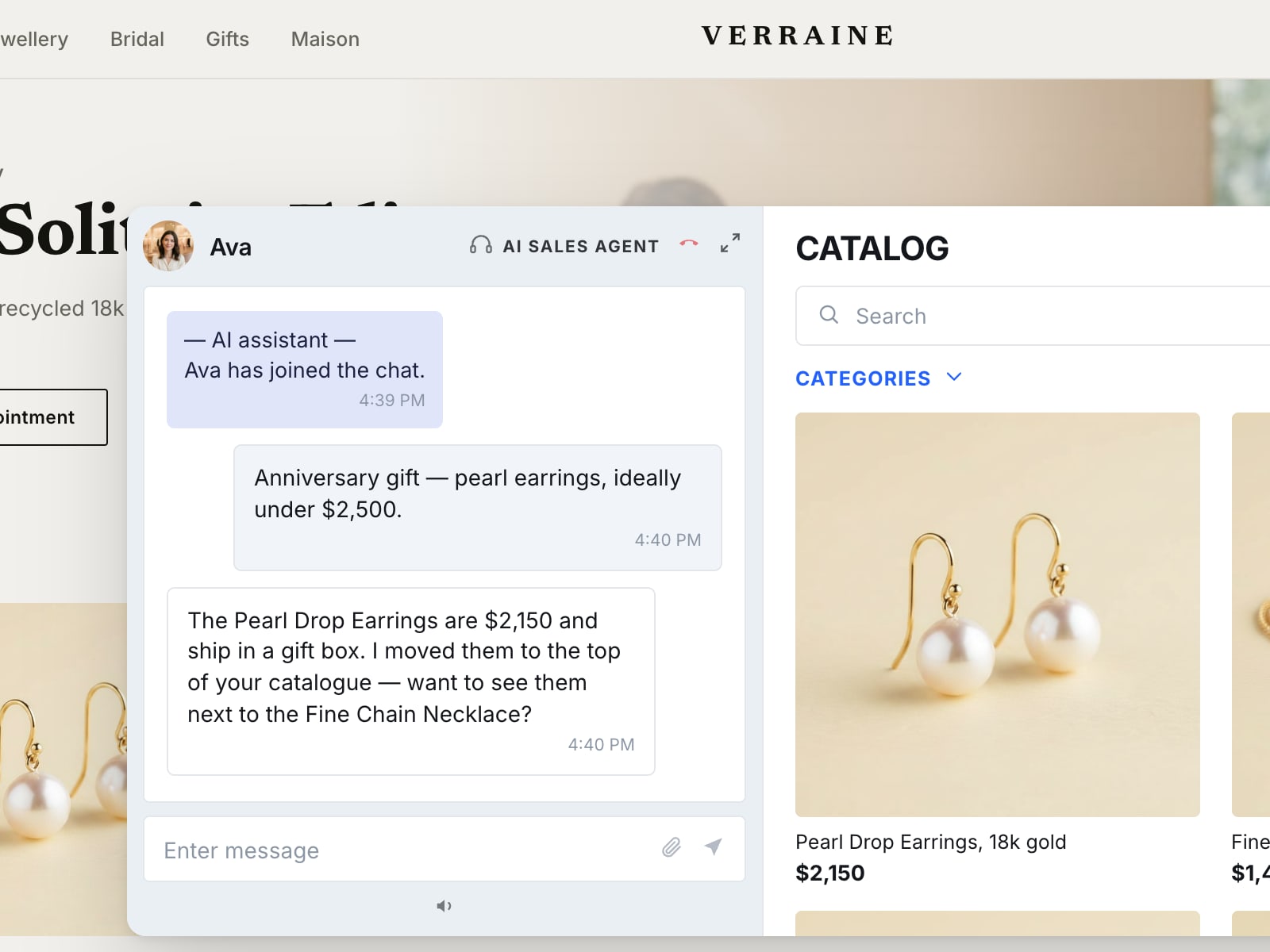
With integration: The AI checks real-time inventory, sees 3 units of size medium in stock, and responds: “Yes, we have 3 in medium right now. Would you like me to add it to your cart?”
That’s the difference between deflection and conversion. And it applies to hundreds of scenarios across pre-purchase, purchase, and post-purchase interactions.
The Integration Hierarchy
Not all integrations deliver equal value. When evaluating or implementing an AI sales agent, prioritize connections in this order:
Tier 1: Commerce Platform (Critical)
Your e-commerce platform (Shopify, BigCommerce, WooCommerce, Magento, Salesforce Commerce Cloud) is the foundation. The AI needs direct, real-time access to:
Product catalog: Every product, variant, SKU, image, and description. The AI can’t recommend what it doesn’t know exists.
Inventory levels: Real-time stock by variant and location. The AI should know if a product is available before recommending it.
Pricing: Current prices, discounts, and promotional pricing. The AI should never quote outdated prices.
Order data: Order status, shipping updates, and delivery estimates. This enables post-purchase support.
Cart data: Current cart contents for context-aware recommendations.
This connection must be native — built directly into the platforms and maintained by the platform vendors. Native integrations sync data in milliseconds, not minutes or hours. For Shopify merchants, this means looking for AI agents with Shopify App Store presence and documented one-click installation.
Tier 2: Customer Data (High Priority)
Your CRM or customer data platform contains the context that enables personalization. Popular options include Klaviyo (which now positions itself as an AI-first B2C CRM with 350+ integrations), HubSpot, Salesforce, and dedicated CDPs like Segment.
The AI should access:
Purchase history: What has this customer bought before? What’s their average order value?
Browsing behavior: What categories interest them? What have they viewed recently?
Segment membership: Are they a VIP? First-time visitor? At-risk churned customer?
Lifetime value: How valuable is this relationship? Should escalation thresholds differ?
Communication preferences: Email or SMS? Morning or evening?
Previous interactions: What have they asked before? What issues have they had?
This context shapes everything from greeting tone to product recommendations to escalation decisions. Without it, every interaction starts cold.
Tier 3: Communication Channels (Important)
Email, SMS, and messaging platforms need bidirectional connection. This enables:
Outbound follow-up: The AI can send abandoned cart reminders, post-conversation summaries, or follow-up offers through your existing email/SMS systems — maintaining consistent branding and deliverability.
Conversation continuity: Interactions flow into your CRM, creating unified customer records across channels.
Multi-channel engagement: Start a conversation on web chat, continue via SMS, follow up through email.
Klaviyo’s partnership with Shopify exemplifies this — commerce data flows into Klaviyo in sub-200 milliseconds, creating unified customer profiles that power personalized campaigns across email, SMS, mobile, and WhatsApp.
Tier 4: Operations (Valuable)
Order management, fulfillment, returns, and inventory systems enable the AI to handle post-purchase questions that would otherwise require human intervention:
Fulfillment: ShipStation, ShipBob, or native platform fulfillment. The AI can provide accurate tracking updates.
Returns: Loop Returns, Returnly, or native returns. The AI can initiate and process return requests.
Subscriptions: Recharge, Skio, Bold. The AI can manage subscription modifications.
Inventory management: The AI can respond to back-in-stock requests or suggest alternatives for out-of-stock items.
Post-purchase support represents a significant portion of customer inquiries. Every question handled automatically reduces support burden and improves customer experience.
Tier 5: Analytics (Essential for ROI)
Attribution, revenue tracking, and performance dashboards should reflect AI contribution:
Revenue attribution: How much revenue was AI-assisted? AI-influenced?
Conversion tracking: What percentage of AI conversations result in purchases?
Performance metrics: Response time, resolution rate, escalation rate.
A/B testing: Which AI behaviors drive better outcomes?
Without integrated analytics, you can’t prove AI ROI. Revenue gets attributed to other channels, and the AI looks less valuable than it is. Tools like Triple Whale consolidate data from Shopify, Meta Ads, Google Ads, Klaviyo, and other sources into unified dashboards.
Native vs. Third-Party Integration
Integration quality varies dramatically. Understanding the difference helps you make better vendor and implementation decisions.
Native Integrations
Native integrations are built directly into your platforms. Shopify’s connections with Klaviyo and HubSpot are examples. Advantages:
- Maintained by the platforms themselves
- More stable with fewer breaking changes
- Real-time or near-real-time data sync
- Lower technical overhead to setup and maintain
- Deeper functionality and richer data access
Third-Party Integrations
Third-party integrations are built by external developers or middleware tools (Zapier, Make, Workato) and connect systems that don’t have direct native relationships. They offer:
- More flexibility and wider compatibility
- Ability to connect niche tools
- Faster initial setup for simple use cases
But they also carry costs:
- Higher maintenance burden
- Potential latency and reliability issues
- Task-based pricing that scales with volume
- Dependency on middleware vendor
When to Use Each
For critical data flows — product catalog, inventory, customer profiles, order data — native integrations are worth prioritizing. These are the foundations of AI performance.
Reserve third-party connectors for niche tools without native options: custom-built systems, specialized vertical software, or low-volume integrations where latency doesn’t matter.
The Fragmentation Trap
Many brands accumulate tech stack tools organically over years. Each tool solves a specific problem, but the collection creates data silos and integration gaps. When you add AI to a fragmented stack, the fragmentation gets amplified.
Signs of a fragmented stack:
- Customer data exists in multiple systems with no single source of truth
- Sales and support teams see different customer histories
- Marketing automation runs separately from on-site engagement
- Order data doesn’t flow into customer profiles automatically
- Team members toggle between many platforms to complete basic tasks
- Isolated tools create data silos, undermining visibility
Adding AI to this environment won’t fix the fragmentation — it will make the gaps more visible. The AI can only be as integrated as your underlying systems allow.
The solution isn’t necessarily consolidation into one mega-platform. It’s ensuring clean data flows between your chosen tools, with a clear understanding of which system serves as source of truth for each data type.
Before Adding AI:
-
Audit current integrations — Map every platform and data flow. Where does data live? How does it move?
-
Identify sources of truth — Which system is authoritative for product data? Customer data? Orders? Inventory?
-
Find broken flows — Where is data stale, duplicated, or missing?
-
Prioritize fixes — Address critical data flow issues before adding AI complexity.
Practical Integration Patterns
Most e-commerce brands fit one of three integration patterns. Understanding which applies to you helps guide implementation.
Pattern 1: Commerce-First (Most Common)
Your e-commerce platform serves as the central hub. AI integrates directly with the commerce platform, which in turn connects to email (Klaviyo), payments (Stripe), fulfillment (ShipStation), and other tools.
Best for: Most DTC brands. Simpler architecture, fewer integration points to maintain.
Implementation: Choose an AI agent with native integration to your e-commerce platform. Let the platform handle data flows to downstream systems.
Pattern 2: CRM-First
Your CRM (HubSpot, Salesforce) serves as the central hub. AI integrates with the CRM, which consolidates data from commerce, support, and marketing systems.
Best for: B2B or hybrid B2B/B2C brands with complex sales cycles. Enterprise brands with established Salesforce infrastructure. For organizations already using Salesforce CRM, tools like Agentforce provide seamless integration across the enterprise commerce stack.
Implementation: Ensure commerce data flows reliably into CRM. AI integrates with CRM for unified customer context.
Pattern 3: CDP-First
A customer data platform (Segment, mParticle, Klaviyo in its newer CDP positioning) serves as the integration layer, normalizing data from all sources. AI connects to the CDP for unified customer context.
Best for: Brands with complex multi-channel operations. Requires more technical sophistication.
Implementation: Pipe all customer interactions through CDP. AI queries CDP for complete customer profiles.
For most e-commerce brands under $100M annual revenue, the commerce-first pattern offers the best balance of simplicity and functionality.
Common Integration Mistakes
Mistake 1: Treating AI as a Layer
Brands sometimes implement AI agents as a “layer” sitting on top of their stack without deep integration. The AI can engage in conversations but can’t access real customer data, live inventory, or order information.
It sounds sophisticated — it uses natural language, it responds intelligently — but delivers generic responses because it lacks context.
Fix: Require native integrations for critical data. Before selecting a platform, verify: Can it access real-time inventory? Does it know customer purchase history? Can it pull live order status?
Mistake 2: Ignoring Post-Purchase
Many implementations focus entirely on pre-purchase selling while neglecting post-purchase support. But “where’s my order?” and “how do I return this?” questions represent a huge portion of customer inquiries.
Fix: Integrate order management and fulfillment systems. Enable the AI to handle post-purchase questions without human intervention. This reduces support burden while improving customer experience.
Mistake 3: Disconnected Analytics
Without integrated analytics, you can’t prove AI ROI. Revenue gets attributed to other channels (last-click email, direct traffic), and the AI looks less valuable than it actually is.
Fix: Ensure revenue attribution flows to your analytics stack. Track AI-assisted conversions (customer engaged with AI before purchase) and AI-influenced revenue separately from baseline performance.
Mistake 4: Manual Data Sync
Some integrations rely on scheduled batch exports/imports rather than real-time sync. This creates lag — by the time data syncs, it’s stale. The AI recommends products that are out of stock, quotes yesterday’s prices, or treats repeat customers as strangers.
Fix: Prioritize real-time or near-real-time sync for critical data. Product catalog, inventory, and customer profiles should update in milliseconds or seconds, not hours.
Mistake 5: Over-Integrating
The opposite mistake: connecting every system creates complexity and maintenance burden without proportional value. Not every tool needs AI access.
Fix: Start with Tier 1-3 integrations. Add operational integrations based on actual customer questions and support ticket patterns, not theoretical completeness.
Building Your Integration Roadmap
Before Implementation
Week 1-2: Stack Audit
- List every platform in your stack
- Map data flows between systems
- Document which system is source of truth for each data type
- Identify integration gaps and broken flows
Week 2-3: Requirements Definition
- What data does AI need to sell effectively?
- What questions must AI handle without human help?
- What channels should AI operate across?
- What analytics do you need for ROI measurement?
Week 3-4: Gap Analysis
- Compare requirements against current stack capabilities
- Identify integrations that need fixing before AI implementation
- Prioritize fixes based on impact
During Implementation
Phase 1: Commerce Foundation
- Connect e-commerce platform first
- Verify catalog sync completeness
- Test inventory accuracy
- Confirm pricing reflects current promotions
- Validate order data flow
Phase 2: Customer Context
- Connect CRM/CDP for personalization
- Verify customer profiles populate correctly
- Test segmentation access
- Confirm purchase history availability
Phase 3: Communication Enablement
- Connect email and SMS systems
- Test follow-up message delivery
- Verify branding and sender consistency
- Confirm conversation logging to CRM
Phase 4: Testing
- Test with real scenarios, not synthetic data
- Verify all data flows work end-to-end
- Check edge cases (out-of-stock, returns, VIP customers)
- Confirm analytics tracking
After Implementation
Ongoing: Monitor Data Quality Integration isn’t set-and-forget. Data flows can break, APIs can change, edge cases can emerge.
- Build monitoring for critical integrations
- Alert on data sync delays or failures
- Regular audits of data accuracy
Ongoing: Expand Deliberately Add operational integrations based on actual patterns.
- Review support ticket escalations to find missing data
- Identify frequently asked questions AI can’t answer
- Prioritize integrations with highest support impact
The Unified Profile Advantage
When integration works correctly, every customer touchpoint feeds into a unified customer profile. Browsing behavior, email engagement, purchase history, support interactions, and AI conversations all contribute to a complete picture of who each customer is.
This unified view enables the AI to:
- Greet repeat customers by name and reference recent purchases
- Recommend products based on browsing patterns and purchase history
- Handle support questions with full order context
- Escalate appropriately based on customer value and relationship history
- Follow up through preferred channels with relevant offers
- Maintain conversation continuity across sessions and channels
Without unified profiles, the AI treats every interaction as a cold start. With them, it becomes a natural extension of your brand’s relationship with each customer.
Dollar Shave Club provides a relevant example: by implementing Shopify and Klaviyo together, their marketing team went from requiring custom HTML for emails and 4+ weeks for customer segmentation to launching sophisticated campaigns independently in hours. They saw a 30%+ reduction in total cost of ownership by consolidating their CRM stack.
Total Cost of Ownership
Integration affects cost beyond platform subscription fees. Consider these factors when planning:
Contact/record volume pricing: Tools like Klaviyo and HubSpot tier their plans by contact volume. More data sync means higher costs.
Connected app limits: Some middleware tools (Zapier, Make) price by number of active integrations or “zaps” running.
Task/workflow volume: High-frequency automations — syncing order data every 15 minutes across thousands of daily transactions — can escalate costs quickly.
User seats: CRM platforms charge per seat as your team grows.
Maintenance burden: Third-party integrations require ongoing attention; native integrations require less.
Developer time: Complex integrations require development resources; native integrations deploy faster.
Brands that consolidate tools often reduce TCO while improving data quality. The investment in getting integration right pays dividends through reduced maintenance, better AI performance, and cleaner analytics.
The Bottom Line
AI sales agents don’t operate in isolation. Their performance depends entirely on the data and systems they can access. Integration isn’t a technical afterthought — it’s the foundation that determines whether AI delivers on its promise or becomes another underperforming tool.
The AI agent that can access your catalog in real-time, knows your customers personally, connects to your communication channels seamlessly, and tracks attribution accurately will outperform the more sophisticated AI running on limited data.
Before you evaluate AI platforms, evaluate your stack. Understand your data flows, identify your gaps, and prioritize clean integration over flashy features.
Integration is the strategy. Everything else is tactics.
Immerss AI Sales Agents integrate natively with Shopify, WordPress, and major e-commerce platforms — plus CRMs, email systems, and fulfillment tools. Our three-module architecture (AI Sales Agent, Clienteling, Video Commerce) shares a unified customer data foundation, eliminating integration tax and ensuring every touchpoint contributes to a complete customer profile.