
How to Improve Product Discovery in Ecommerce (2026)
Product discovery is usually treated as a search and navigation problem. For a large share of shoppers it isn’t — they can find things perfectly well and still can’t decide. This guide covers the difference, how to tell which problem your store actually has, and what to do about the half that filters can’t reach.
Why do shoppers leave collection pages without clicking a product?
Most leave because they can’t reduce the options by criteria they haven’t formed yet — not because the page is slow, ugly, or badly organized.
A shopper who knows she wants a size 8 in black under $200 uses your filters in four clicks and has a great experience. A shopper who wants “boots for winter” cannot use a single one of them, because each filter asks her to commit to an answer she doesn’t have. Material is the question she came to resolve, not an input she can supply. Heel height depends on comfort she can’t assess from a grid. Price depends on which ones last.
So she applies no filters, scrolls the grid, opens a few products, and leaves. The interface worked exactly as designed. It was designed for the other shopper.
What’s the difference between retrieval and selection?
Retrieval is finding a known item in a large set; selection is deciding what you want in the first place — and nearly all ecommerce discovery tooling only addresses the first.
Retrieval assumes the target already exists in the shopper’s head. Filters, on-site search, sorting, categories, and faceted navigation are all retrieval instruments — a filing cabinet, excellent at getting you to the right folder provided you know the folder’s name.
Selection assumes the target doesn’t exist yet and has to be constructed out of constraints, preferences, and half-formed opinions.
The practical consequence is worth stating plainly: every filter on your site is an attribute of the product. Not one of them is a question about the shopper. Material, size, color, brand, and price describe your inventory; none of them asks what she’s doing with the thing.
This also explains why the two problems are invisible to each other in reporting. A retrieval failure looks like a search with no results, a filter combination returning nothing, a category someone couldn’t find. All of those produce events you can count. A selection failure produces a session that looks entirely normal — pages viewed, time on site, scroll depth, several product pages opened — and ends without a purchase. On a dashboard it resembles an engaged browse rather than a stuck shopper.
Which is why brands frequently conclude their discovery is fine. The retrieval metrics are healthy, because retrieval genuinely is fine. The selection problem never appears in the same report.
Do product filters actually increase conversion?
Filters increase conversion for shoppers who already know their criteria and have close to no effect on shoppers who don’t — which is why adding more of them produces diminishing returns.
This explains a pattern many merchandising teams find confusing. Filter usage is often low on collection pages, and the instinct is to make filters more prominent or add more facets. Usually the reason usage is low is that a substantial share of visitors can’t answer them.
Filters remain worth having and worth doing well. They’re just a solution to one of two problems, and the other one is invisible in the same reporting.
How many filters should a collection page have?
Enough to cover the attributes shoppers genuinely arrive knowing, and no more — additional facets beyond that point add interface complexity without adding decisions.
A practical test for each facet: would a typical shopper arriving at this page already know her answer? Size and color usually pass. Material, finish, weight class, and technical specifications usually fail for anyone who isn’t already expert in the category.
Facets that fail this test aren’t useless, but they belong in a secondary position rather than competing for attention with the ones shoppers can actually use. They also mark exactly where explanatory content is missing, because a facet nobody can answer is a decision nobody has been helped to make.
Is it bad to have too many products?
Not necessarily — the evidence that more options reduce purchases is more contested than the popular version suggests, and range is often the reason shoppers chose a specialist brand over a generalist.
The influential research on choice overload has had replication difficulties, and the honest summary is that the effect depends heavily on context, on how options are presented, and on how much the chooser already knows about the category. Treating “fewer options sell more” as a rule is how retailers end up cutting products that were selling.
The variable that matters isn’t the count. It’s whether anything can reduce the set by the shopper’s criteria. Forty products with someone to ask two questions is a good experience; twelve products with only a grid is still a guessing game, just a shorter one.
What should a collection page do that filters can’t?
It should ask about the shopper’s situation and translate her answers into product attributes on her behalf.
This is what a sales associate does in about twenty seconds. What are you mostly wearing them for? Are you on your feet much? Smart, or casual? Three questions, none of them about the product, and thirty-eight of forty options are eliminated — because the associate knows how suede behaves in the rain and the customer doesn’t.
That translation step is the entire job, and it’s structurally unavailable to a filter, which can only accept product attributes as input.
Curated collections and recommendation widgets are partial substitutes. A curated collection is a guess about a segment applied broadly: helpful when the guess matches, useless when it doesn’t, and you can only display so many guesses. “Customers also viewed” is a statistical guess that can only fire after she’s opened something, so it assists after selection rather than during it. That gap between the grid and the decision is the same one we’ve written about in the case against the product grid.
Writing the translation down is a smaller job than it sounds, and it’s the prerequisite for everything else here working. For each significant category, note the two or three questions your team asks on the phone, and what each answer rules out. If it’s getting properly wet daily, leather not suede. If she’s on her feet all day, not the block heel. If it’s for occasional smart wear, the suede is fine and looks better.
Three lines per category. That’s the material a shopper needs, the material an AI sales agent needs to narrow credibly, and — as a side effect — the material an AI assistant needs to recommend your products when someone asks it for a suggestion. It’s the same knowledge serving three purposes, and in most businesses it exists only in the heads of the people who answer the phone.
Do product finder quizzes work?
Quizzes are structurally the right instinct and usually underperform, because a fixed decision tree can’t handle conditional answers or follow-up questions.
Two specific failures account for most of the gap.
They can’t take “it depends.” A shopper thinking “if it’s genuinely waterproof I’d go leather, otherwise suede is fine” has nowhere to put that conditional, so she picks an answer that isn’t true and gets a recommendation built on it.
They can’t take a follow-up. She can’t ask “why did you pick that one?” or “is there a cheaper version?” without restarting.
So a quiz captures the shape of the solution while missing what makes it work — the shopper interrogating the narrowing as it happens. A salesperson’s advantage isn’t asking three questions; it’s that the customer can push back on any of them. That is the distinction between a scripted tree and a real conversation, and it’s the same line that separates an AI sales agent from a chatbot.
How do you measure product discovery?
Measure collection-to-product rate, filter engagement, products viewed without an add to cart, and search-then-leave — four numbers that separate a finding problem from a deciding problem.
| Metric | What it tells you |
|---|---|
| Collection → product rate | Whether the grid gives her anything worth opening |
| Filter engagement rate | Very low often means she can’t answer them, not that she doesn’t want them |
| Products viewed, no add to cart | Comparing without a basis for comparison |
| Search-then-leave | Strongest intent signal, followed by nothing |
All four are already in your analytics; none of them requires a new tool to pull. Read them together rather than singly. Healthy search and filter metrics alongside a weak collection-to-product rate and a pile of multi-product sessions with no cart is the signature of a selection problem, and it is the one combination that looks like success in every individual chart.
Deliberately not a target: time on site. A shopper spending nine minutes scrolling a collection page is not engaged, she’s stuck. If you want context for what the surrounding numbers usually look like, our ecommerce benchmarks page covers where the common rates sit.
One caution on measurement. Whatever you add to close a selection gap should be measurable in the same four numbers, attributed to specific sessions and specific orders. An assistance layer that can’t be tied to revenue is a cost center with a good story attached.
Does on-site search matter more than navigation?
On-site search deserves disproportionate attention because searchers convert at higher rates, but it has the same limitation as filters — it only serves shoppers who can name what they want.
Two things are worth doing regardless. Make sure search handles synonyms and typos, since a meaningful share of failed searches are for products you sell under a different name. And never return a blank results page; show close matches and a way to ask.
The shopper who searches “waterproof boots for walking to work” rather than a product name is telling you she’s in selection rather than retrieval — and that phrasing is increasingly common as shoppers carry conversational habits over from AI assistants. The same shift is why the questions people type into your search bar are worth reading as content briefs, a habit we cover in the guide to AI search optimization.
How to improve product discovery: a six-step framework
Step 1 — Measure which problem you have. Pull collection-to-product rate, filter engagement, products-viewed-without-add-to-cart, and search-then-leave. These separate a retrieval problem from a selection problem, and they take about an hour.
Step 2 — Audit your facets against the “would she know?” test. Demote or explain any facet a non-expert can’t answer.
Step 3 — Write the translation sentences. For each significant category, the two or three lines an experienced associate uses to turn a situation into a product. This is the highest-value content most retailers have never written.
Step 4 — Add comparison to product descriptions. Each description should say how the product differs from the two or three nearest alternatives in your own range. Shoppers comparing within your catalog are shoppers who haven’t left it.
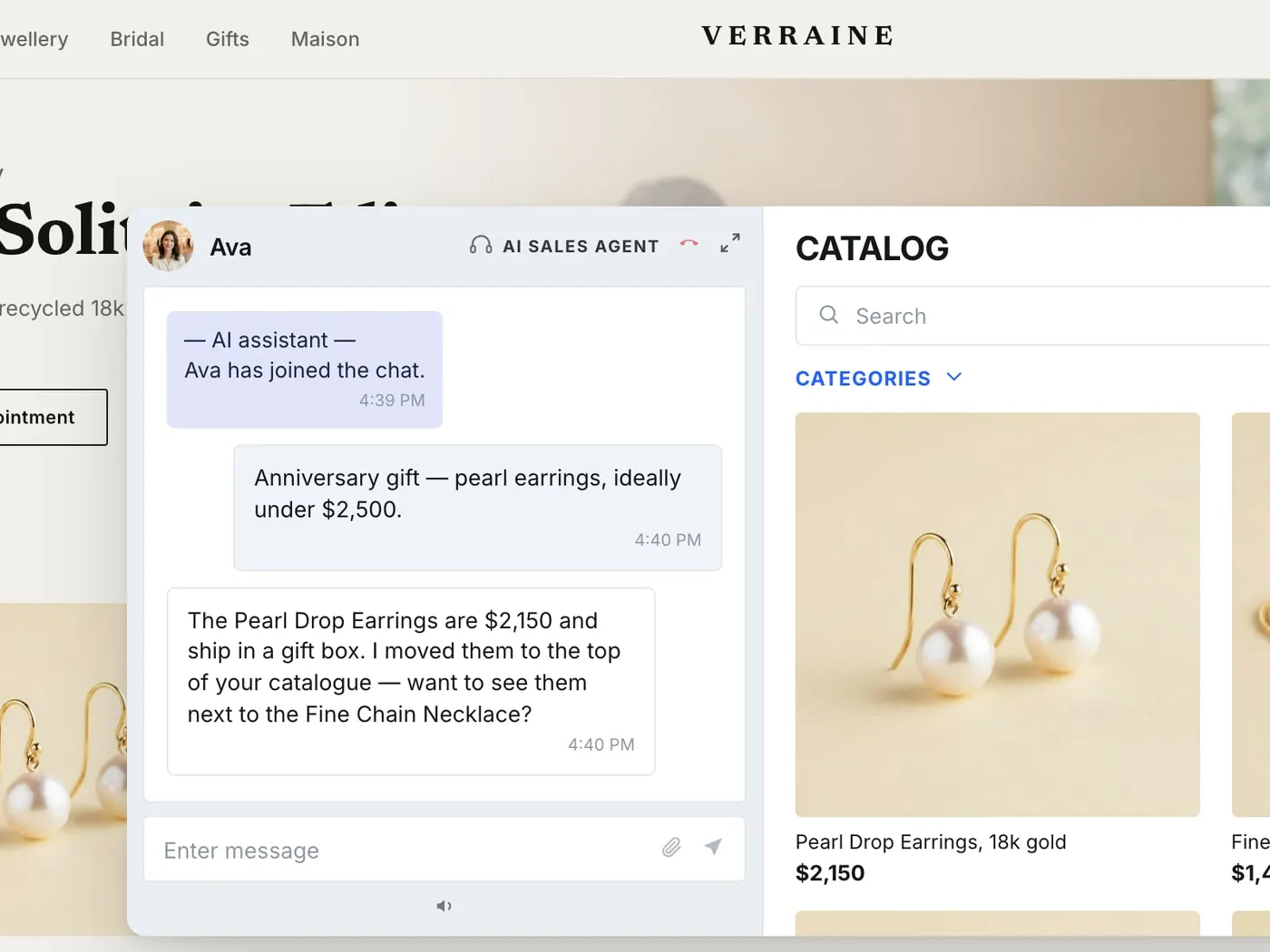
Step 5 — Put an asking mechanism on the collection page. Not another facet — a question about what she’s using it for, one that can handle “it depends” and a follow-up. An AI sales agent does this at the scale of your traffic, at the moment she’s stuck, without her having to ask for help first.
Step 6 — Escalate the genuinely visual comparisons. When she’s narrowed to two and wants to see them next to each other, no amount of copy substitutes for someone turning the boot over on camera. That is where clienteling and video commerce take over from the agent: a one-to-one live co-shopping session with a real associate, or shoppable video on the product page for the questions that recur often enough to answer once.
Where the three layers meet
The reason to think about these as one system rather than three purchases is that they hand off to each other along the shopper’s actual path.
An AI sales agent covers the top of the narrowing — it asks the situational questions on the collection page, handles the conditional answers a quiz can’t, and does it for everyone at once. Clienteling covers the shoppers who need a person: 1:1 live co-shopping when someone is down to two options and wants a second opinion, and outbound follow-up to the customers an associate already knows. Video commerce covers what can only be shown — live shopping events, shoppable video, and product-page video for the recurring questions that are really requests to see the thing move.
Lucchese, a custom bootmaker, and Hammitt, in accessible-luxury handbags, both sell in categories where finding a product was never the hard part. Choosing between three good ones is. Both use Immerss to put a human, personal conversation back into a considered purchase, and to keep it measurable — sessions and orders attributed, not inferred.
That’s the test worth applying to anything you add here. Discovery help that isn’t human reads as another widget. Help that isn’t personal is a curated collection with extra steps. And help that isn’t measurable can’t be defended at the next budget review, however well it’s working.
Where to start
The unstated assumption in every collection page is that the shopper knows what she wants and needs help finding it. For a large share of visitors that’s backwards — finding is easy, deciding is the problem.
Start by pulling the four numbers. They’ll tell you within an hour whether your store has a retrieval problem, a selection problem, or neither. If it’s the second, the fix isn’t more facets; it’s putting the questions your best associate asks in front of the shopper who can’t answer your filters.
If you’d like to see what that looks like on your own catalog, book a demo — we’ll run it against your collection pages and your range rather than a generic example. For brands ready to test it properly, the entry point is a 60-day pilot, on us.
Frequently asked questions
The effective techniques split into two groups, and most stores have only implemented the first. Retrieval techniques help a shopper find a known item: faceted filters, synonym- and typo-tolerant on-site search, sensible category structure, and never returning a blank results page. Selection techniques help a shopper decide what she wants: writing down the two or three questions your sales team asks on the phone and what each answer rules out, adding comparison against your own nearest alternatives to product descriptions, and putting a mechanism on the collection page that asks about her situation rather than about product attributes. Audit which of the two problems you actually have before investing in either.
The 80/20 rule is the observation that a small share of products typically generates most of the revenue — often cited as roughly 20% of SKUs producing 80% of sales. It is a useful prompt for merchandising attention, not a rule to prune a catalog by. In categories where range is the reason shoppers chose you over a generalist, the long tail is frequently what brings them in and the head is what they buy once they have been helped to choose. Treat concentration as a signal about which products deserve better content and comparison, not as a mandate to cut the rest.
Rarely as a first move. If range is part of why shoppers choose you, cutting it to simplify a page trades a genuine asset for an interface fix. The variable that matters is not the number of products but whether anything on the page can reduce the set by the shopper's criteria rather than by product attributes. Add a narrowing mechanism before removing products.
The collection page, because that is where the undecided shopper is. Product-page assistance helps someone who has already narrowed to a single item and has one specific doubt, which is a different and later job. A store that only answers questions on the product page is helping the shoppers who already got themselves most of the way there.
Quizzes are structurally the right instinct and usually underperform, because a fixed decision tree cannot handle a conditional answer or a follow-up question. A shopper thinking "if it's genuinely waterproof I'd go leather, otherwise suede is fine" has nowhere to put that conditional, so she picks an answer that is not true and receives a recommendation built on it. She also cannot ask why a product was chosen or whether there is a cheaper version without restarting. The quiz captures the shape of the solution while missing what makes it work: the shopper interrogating the narrowing as it happens.
They are shifting the habit toward describing a situation rather than naming a product, and it shows up first in on-site search phrasing. A shopper who searches "waterproof boots for walking to work" instead of a product name is telling you she is in selection rather than retrieval. Stores whose search and content only handle product names increasingly miss that phrasing, both on their own site and in the AI assistants shoppers now ask before they arrive.
Much less. Below roughly fifty SKUs a shopper can reasonably see everything, and the constraint shifts to answering questions on the product page rather than narrowing a set. Above a few hundred SKUs, discovery is often the largest single gap between the traffic a brand pays for and the revenue it books.
Then this is your highest-leverage area rather than your hardest. Categories where choosing is difficult are exactly where a retailer that helps shoppers choose holds a durable advantage over one that only displays inventory. The expertise already exists inside the business, in the people who answer the phone and work the floor; the work is getting it onto the site instead of leaving it in their heads.